 Home
Home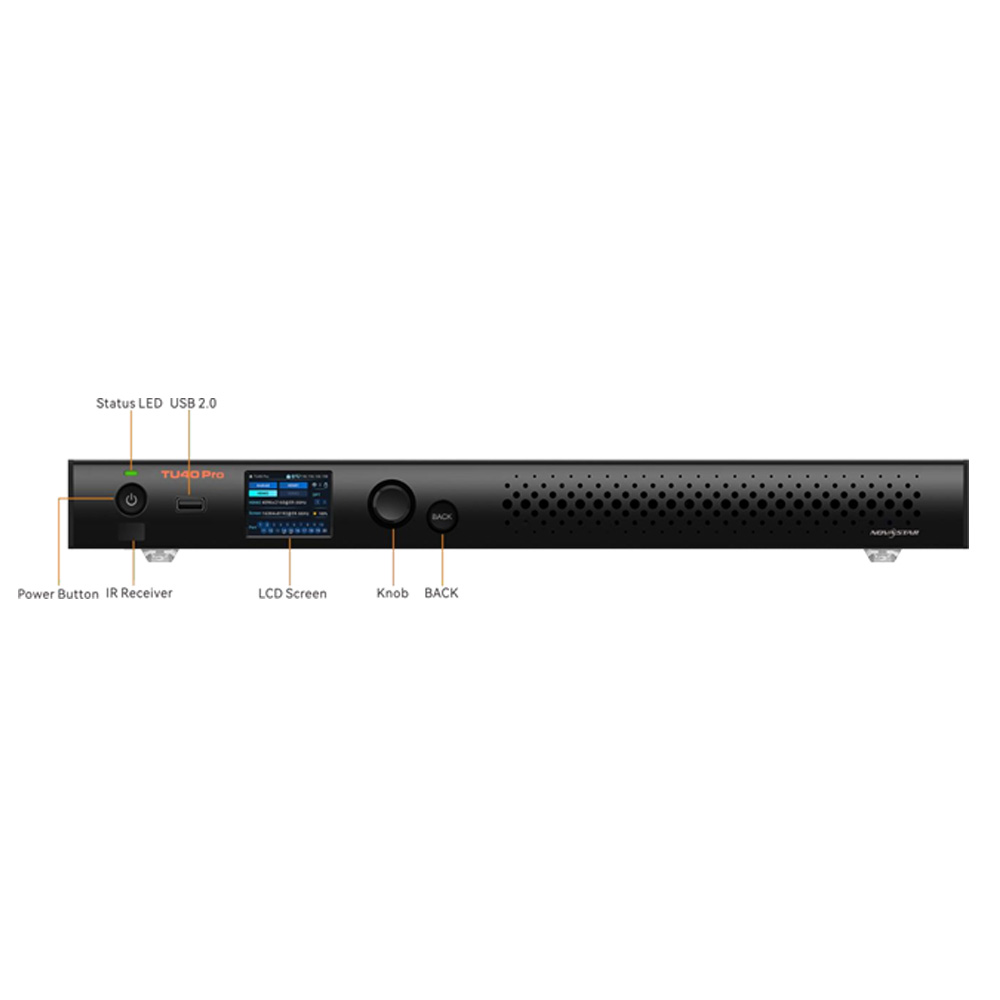

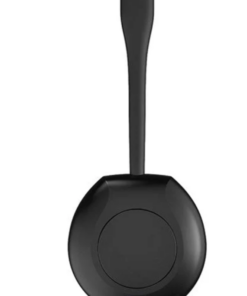
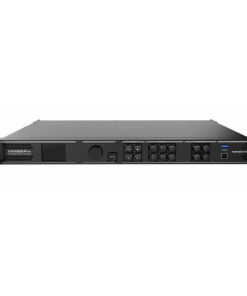
NovaStar TU40 Pro
฿98,000.00
- เครื่องรับ – ส่ง สัญญาณภาพ ไปแสดงที่จอ LED FULL COLOR
- ความละเอียด ที่รองรับ 13ล้านพิกเซล
- รองรับการเชื่อมต่อได้สูง มีช่อง lan out 20 ช่อง
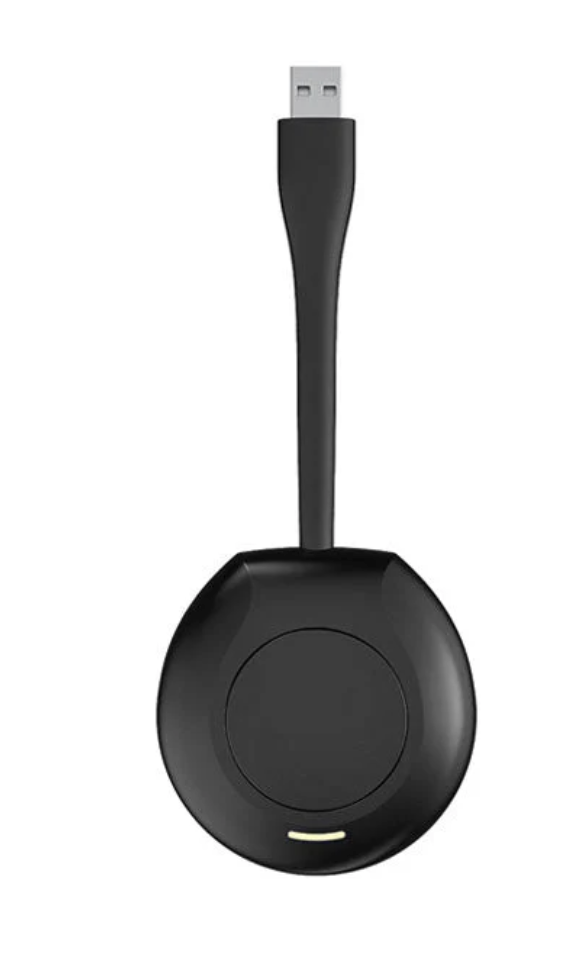
- USB dongle ราคา 3500 บาท
- Brochure : TU40-Pro-LED-Playback-Control-Processor-Specifications-V1.1.0
หมายเหตุ : กรุณาเช็คสินค้าก่อนทำการสั่งซื้อทุกครั้ง เพราะบางรายการอาจไม่มีสินค้าในสต็อก



เครื่องรับ ส่ง สัญญาณภาพ NovaStar TU40 Pro
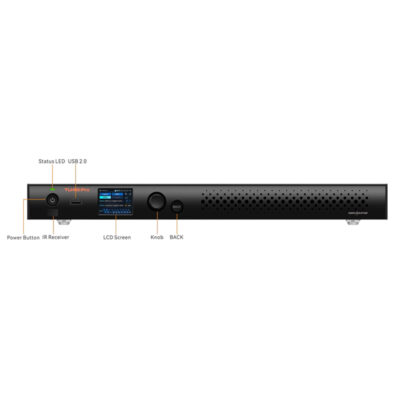
The TU40 Pro is an LED playback control processor specially (hereinafter referred to as NovaStar) for LED screen applications. It integrates the Android system, sending card and video processing functions into one unit, and allows third-party apps to run on it, featuring powerful interaction, display and playback control capabilities.
The TU40 Pro supports a maximum load capacity of 13 million pixels and offers convenient LED screen control via the front panel LCD or a remote control. It also supports wireless screen mirroring across multiple platforms including Windows, macOS, iOS, and Android. To cater to different application scenarios, the TU40 Pro features advanced image processing capabilities and provides 4 modes to let the document presentation, video playback and remote meetings have the optimal display effect.
The TU40 Pro has no requirements of redesigning or changing the screen structure and can be mounted on the wall or placed on a surface or into a cabinet, allowing for quick environment setup and use. It is highly versatile and suitable for a broad range of applications such as corporate showrooms, conference rooms, auditoriums, and outdoor standalone LED display screens. NovaStar TU40 Pro
คุณลักษณะของ NovaStar TB40 Pro
- เป็นเครื่องสำหรับ รับ – ส่ง สัญญาณ ภาพ ไปแสดงที่ จอ LED FULL COLOR
- รองรับความละเอียด กว้าง 64 ถึง 16,384 พิกเซล และ ความสูง 64 ถึง 8,192 พิกเซล โดยสามารถรองรับได้ 13 ล้านพิกเซล
- ระบบในตัวเครื่องเป็น Android เวอร์ชั่น 13
- มีหน่วยประมวลผลแบบ Quad-core A73 + Quad-core A53 ARM processor@2.2 GHz
- รองรับการแสดงภาพแบบ H.264 4K@30Hz และ H.264 4k@60Hz
- มีหน่วยความจำหลัก RAM 8 GB
- มีหน่วยความจำสำรอง ROM 128 GB
- รองรับการเล่น Playback และสนับสนุนการเล่น Playback ของ I stream 8K vdo
- รองรับการแสดงภาพจากมือถือ หรือ คอมพิวเตอร์ โดยรองรับการแสดงภาพจากระบบปฏิบัติการ Android, iOS และ windows
- รองรับการเชื่อมต่อ Bluetooth 5.1
- มีช่อง Gigabit Ethernet สำหรับควบคุม และสนับสนุน Protocol TCP/IP
- มีช่องเชื่อมต่อขาเข้าอย่างน้อยดังนี้
- 1 x HDMI 1.3
- 2 x HDMI 2.0
- 2 x HDMI 2.0
- 1 x USB 3.0
- มีช่องเชื่อมต่อขาออกอย่างน้อยดังนี้
- 1 x HDMI 1.3
- 20x Gibabit Ethernet
- 2 x OPT output for fiber converting application
- 1 x SPDIF digital audio
- 1 x 3.5 mm Audio
- 1 x HDMI eARC
- 1 x Phonenix audio
แผงด้านหน้า NovaStar TU40 Pro
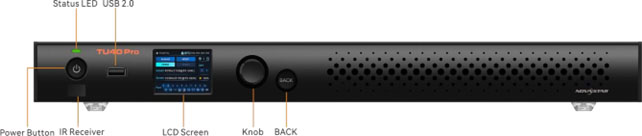
| Name | Description |
|---|---|
| USB 2.0 | l Support a mouse, keyboard, camera, speaker and other common USB devices.
l Can be used for USB playback, firmware update and exporting logs. |
| Status LED | l Solid red: Power off (low power consumption)
l Solid green: Functioning normally/Standby l Off: No power supply |
| Power Button | l Press the button to start up/shut down the device or put it on standby.
l Hold down the button to restart the device. NovaStar TU40 Pro |
| IR Receiver | Receive the infrared signal from the remote. |
| LCD Screen | A 2.0-inch screen that displays the device status, menus, submenus and messages for parameter settings |
| Knob | l On the home screen, press the knob to enter the main menu screen.
l On the main menu screen, rotate the knob to select a menu item or adjust the parameter value. Press the knob to confirm the operation. l Hold down the knob and BACK button simultaneously for 5s or longer to lock or unlock the buttons. |
| BACK | Press the button to go back to the previous menu or cancel the current operation. |
แผงเชื่อมต่อด้านหลัง NovaStar TU40 Pro
| Input | ||
|---|---|---|
| Connector | Qty | Description |
| HDMI 1.3 | 1 | l Max resolution: 1920×1080@60Hz
l Custom resolutions supported − Max width: 3840 pixels (3840×600@60Hz). − Max height: 2560 pixels (800×2560@60Hz) l Accepts 8-bit and 10-bit input sources. l Interlaced signal not supported l HDCP 1.4 compliant l Accompanied audio supported |
| HDMI 2.0 | 2 | l Max resolution: 3840×2160@60Hz
l Custom resolutions supported − Max width: 8192 (8192×1080@60Hz) − Max height: 8192 (1080×8192@60Hz) l Accepts 8-bit and 10-bit input sources. l Interlaced signal not supported l HDCP 1.4 and HDCP 2.2 compliant l Accompanied audio supported l eARC audio supported by HDMI 2.0-1 |
| USB 3.0 | 1 | l Support a mouse, keyboard, camera, speaker and other common USB devices.
l Can be used for USB playback, firmware update and exporting logs. l Supported image formats: *.jpg, *.jepg, *.bmp, *.png, *.gif l Supported video formats: *.mp4, *.mkv, *.ts, *.mov, *.avi, *.m4v, *.flv, *.vob, *.webm, *.mpg NovaStar TU40 Pro l File systems supported: FAT32, NTFS; not supported: exFAT, FAT16 |
| USB 2.0 | 1 | |
| Output | ||
| Type | Qty | Description NovaStar TU40 Pro |
| 1–20 | 20 | RJ45 (1Gps) |
| OPT 1–2 | 2 | 10G OPT outputs, for fiber converting applications |
| AUDIO | 1 | 3.5-mm audio output NovaStar TU40 Pro
Note: 3-conductor audio connectors are supported. |
| SPDIF | 1 | For digital fiber optic audio output |
| HDMI 1.3 | 1 | Output monitoring for device debugging |
| Controls (CONTROL area) | ||
| Type | Qty | Description |
| ETHERNET | 1 | Max bandwidth: 1 Gbps
Connect to an external network or control software. |
| WIFI 1–2 | 2 | Connect to a Wi-Fi antenna and Bluetooth antenna. |
| WIFI 3 | 1 | Connect to a Wi-Fi antenna. |
| SENSOR 1–2 | 2 | Connect to light sensors or temperature and humidity sensors.
Note NovaStar TU40 Pro It is recommended to use NovaStar’s light sensors or temperature and humidity sensors. |
| Phoenix connector (12 pins) | 1 | l 1x L: Left channel of output audio
l 1x R: Right channel of output audio l 1x GND: Grounding l 1x RX: RS232 input l 1x GND: Grounding l 1x TX: RS232 output l 1x IR-I: Infrared input l 1x IR-O: Infrared output l 1x VCC: 3.3 V power supply l 1x GND: Grounding l 1x RELAY: Relay output |
| Power | ||
| Connector | Qty | Description |
| 100-240V~,
50/60Hz, 2.5A Max |
1 | An AC power input connector and switch |
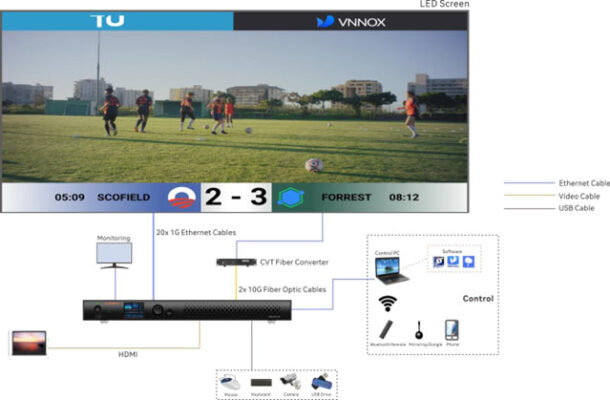
ผังการเชื่อมต่อ NovaStar TU40 Pro
สอบถามเพิ่มเติม
| น้ำหนัก | 7.9 กก. |
|---|---|
| ขนาด | 445 × 383 × 49 เซนติเมตร |
Brand
NovaStar
สินค้าที่เกี่ยวข้อง