 Home
Home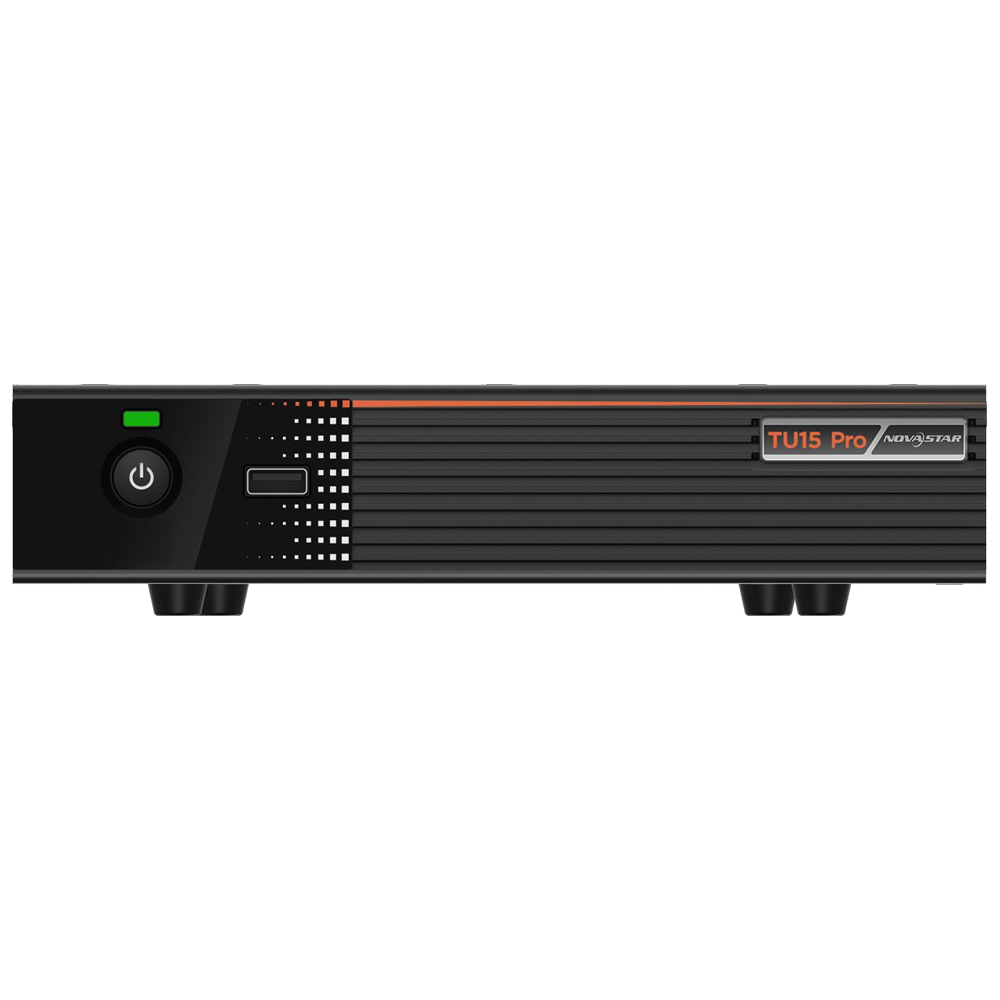
NovaStar TU15 Pro
฿25,000.00
- เครืองควบคุมและส่งสัญญาณภาพ สำหรับ จอ LED FULL COLOR
- รองรับความละเอียด 2.6 ล้านพิกเซล
- รองรับการเชื่อมต่อ sensor และ wifi
- สามารถเชื่อมต่อ RJ45 ได้ 4 ช่อง
- สามารถส่งสัญญาณเสียงได้ มีช่องส่งสัญญาณเสียง Audio out
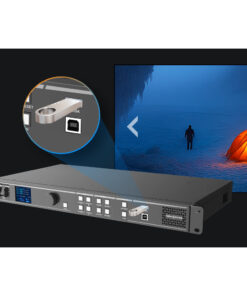
- สามารถใช้งานร่วมกับ mirror cast usb dongle
- ราคา usb dongle 3500 บาท/ชิ้น (สำหรับใช้งานร่วมกับระบบ windows เพื่อส่งภาพไร้สายไปแสดงที่หน้าจอ)
- รับประกัน 1 ปี
- Brochure : TU15-Pro-LED-Playback-Control-Processor-Specifications-V1.5.3
หมายเหตุ : กรุณาเช็คสินค้าก่อนทำการสั่งซื้อทุกครั้ง เพราะบางรายการอาจไม่มีสินค้าในสต็อก



เครื่องควบคุมและส่งสัญญาณภาพ NovaStar TU15 Pro
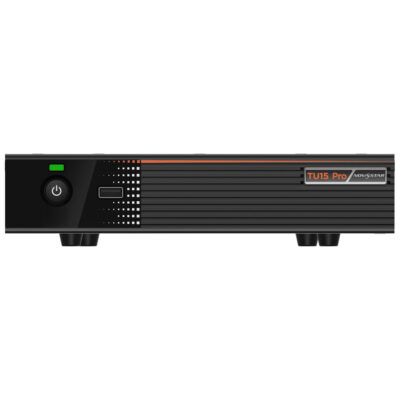
Introduction NovaStar TU15 Pro
The TU15 Pro is a playback control processor specially designed by (hereinafter referred to as NovaStar) for indoor LED screens. It integrates the Android system and sending card functions into one unit, and allows third-party apps to run on it, featuring powerful interaction and playback control capabilities.
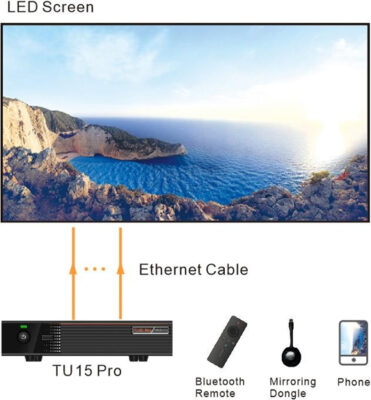
The TU15 Pro allows users to control the LED screen with a remote and supports wireless screen mirroring from Windows, macOS, iOS, and Android devices. It offers four different modes tailored for various applications, ensuring the best display quality for document presentations, video playback, and remote meetings.
The TU15 Pro has no requirements of redesigning or changing the screen structure and can be mounted on the wall or placed on a surface, allowing for quick environment setup and use. It can be widely used in corporate exhibition halls, meeting rooms, government and corporate educational halls, hotel lobbies, telemedicine consultation and other LED single-screen application scenarios.
Certifications NovaStar TU15 Pro
CE, FCC, IC, SRRC, MIC, KC, CB, RoHS
If the product does not have the relevant certifications required by the countries or regions where it is to be sold, please contact NovaStar to confirm or address the problem. Otherwise, the customer shall be responsible for the legal risks caused or NovaStar has the right to claim compensation.
NovaStar TU15 Pro Inputs and Outputs
- 2x HDMI 3 inputs
- 3x USB 0 inputs for multimedia playback and function extension
- 4x Ethernet outputs, capacity up to 6 million pixels
- 2x audio outputs
- 1x SPDIF digital audio output
- 1x 3.5-mm audio output
- Output image scaling
- Width range: 64 to 4096 pixels
- Height range: 64 to 1920 pixels
- Total device load capacity ≤ 2.6 million pixels
System Functions of NovaStar TU15 Pro
- Android 11 based desktop UI system, supporting third-party apps
- Wireless screen mirroring from multiple platforms Mirror from Windows, macOS, iOS and Android terminals.
- Screen drawing and commenting
- Working with the ViPlex Handy app to achieve reverse control The speaker can reversely control the LED screen via the terminal.
- Powerful processing performance
- Quad-core 1.8 GHz ARM A55 processor
- Support high-definition video decoding of H.264 and H.265 at 4K@60Hz
- 4GB of RAM
- 32GB of storage space
- Excellent playback performance
- Supports playback of 1 stream of 4K video, 2 streams of 1080p video, 2 streams of 720p video, 3 streams of 480p video, or 3 streams of 360p video.
- Playback control via different terminals
Device Controls
- Gigabit Ethernet control port with TCP/IP protocol support
- Low-power (less than 5 W) mode during standby, and wakeup from standby via Infrared remote
- A relays can be connected for convenient power management of LED screen
- Intelligent control via mobile app
Download and install VNNOX Care on your smartphone to easily configure the LED screen within just 10 minutes. The app also allows you to scan QR codes to set up screens, connect and adjust the topology using photos, and monitor the status of your devices.
Appearance
- Intelligent control via mobile app: Install ViPlex Handy on your smartphone for program editing and publishing and screen control.
- Convenient playback control via remote: Perform playback control of local programs and simple program editing on the screen.
- USB playback: Support standalone playback, plug and play, or copy and play.
- Dual Wi-Fi modes Allow for Wi-Fi and wireless hotspot connections at the same time.
- Image quality enhancement Improve the display effect from the three dimensions of image contrast, detail and color. So that the overall sense of image gradation is richer and more delicate; the edge details are clear and sharp; the color is bright and vivid.
- Effect adjustment Offer 4 display modes including standard, meeting, vivid and skin, and allow you to adjust the brightness, color temperature, saturation, contrast, etc.
- Eye comfort mode
- Control the LED screen with a remote
- Bluetooth 1 Can connect to the Bluetooth voice remote, Bluetooth mouse, Bluetooth keyboard, Bluetooth sound system and other common peripherals. NovaStar TU15 Pro
- Support peripherals such as camera, sound system and infrared touch frame. Please contact NovaStar technical support for information on supported peripheral device models.
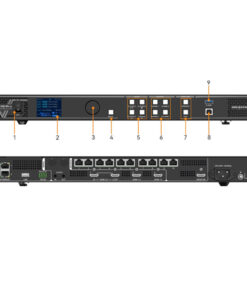
Front Panel of NovaStar TU15 Pro
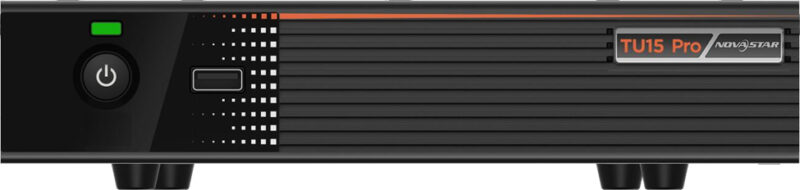
| Name | Description NovaStar TU15 Pro |
| Status LED | l Solid green: The device is running normally.
l Off: The device is not running. NovaStar TU15 Pro |
| Standby button | l Press the button to power on the device or put it on standby.
l Hold down the button to restart the device. |
| USB 2.0 | Support a mouse, keyboard, USB drive and other common USB devices.
l Supported image formats: *.jpg, *.bmp, *.png, *.gif, *.webp l Supported video formats: *.avi, *.mpg, *.vob, *.mov, *.mkv, *.mp4, *.ts, *.flv, *.3gp, *.asf, *.webm l Support FAT32 and NTFS file systems. Do not support exFAT or FAT16 file system. |
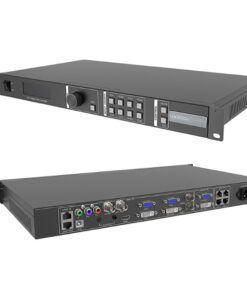
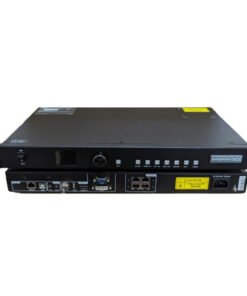
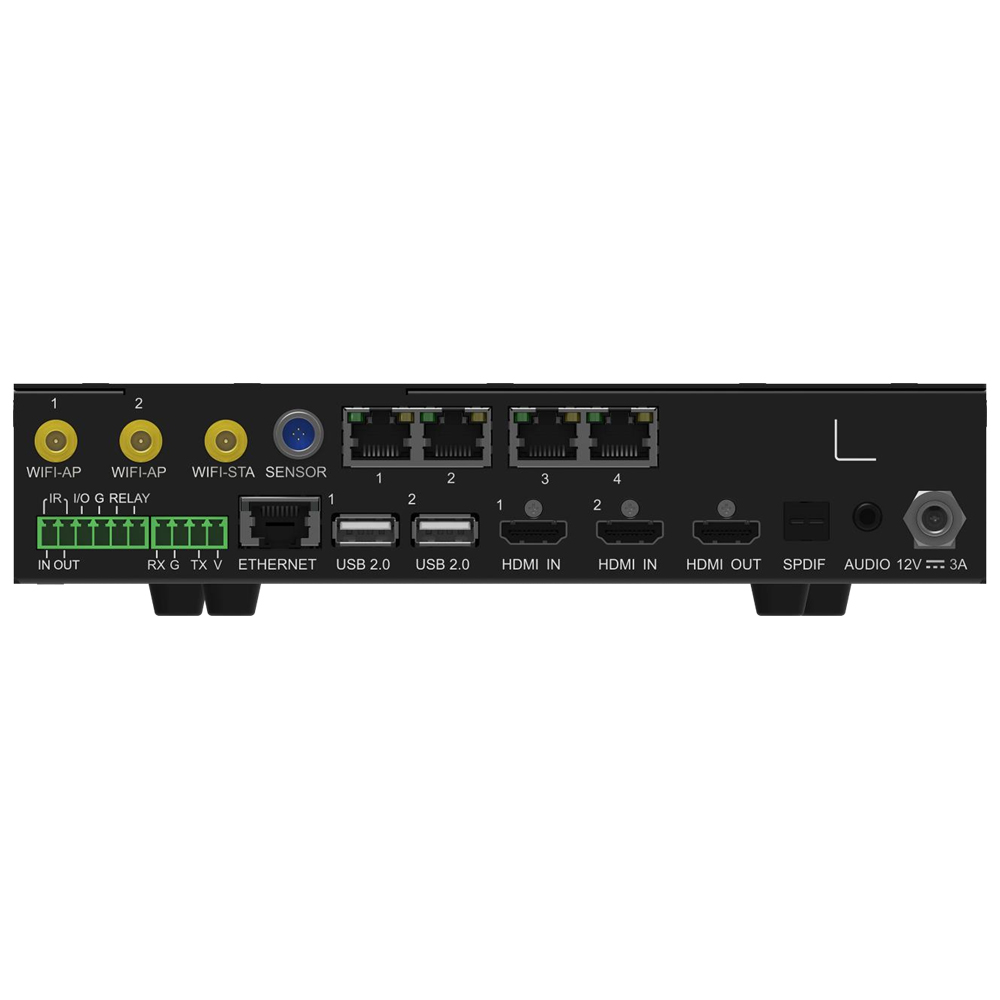
Back Panel of NovaStar TU15 Pro
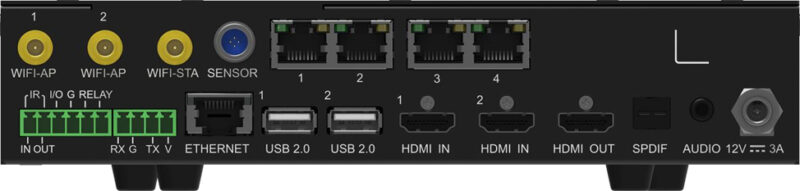
| Type | Connector | Description NovaStar TU15 Pro |
| Input |
HDMI IN 1–2 |
2x HDMI 1.3 (Type A) NovaStar TU15 Pro
l Max resolution: 2048×1152@60Hz l Min resolution: 800×600@60Hz l Custom resolutions supported Width range: 800–3840 pixels (Forced) Height range: 600–3840 pixels (Forced) l Supported frame rates: 30 Hz, 50 Hz, 60 Hz l Do NOT support interlaced signal input. NovaStar TU15 Pro l HDCP 1.4 compliant, backwards compatible |
|
USB 2.0 1–2 |
2x USB 2.0 to support a mouse, keyboard, USB drive and other common USB devices
l Supported image formats: *.jpg, *.bmp, *.png, *.gif, *.webp l Supported video formats: *.avi, *.mpg, *.vob, *.mov, *.mkv, *.mp4, *.ts, *.flv, *.3gp, *.asf, *.webm Supported file systems: FAT32, NTFS; not supported: exFAT, FAT16 |
|
| Output | 1–4 | 4x RJ45 (1Gbps) |
| HDMI OUT | Support output of standard 1080p videos. | |
| AUDIO | 3.5-mm audio output | |
| SPDIF | For digital fiber optic audio output | |
| Control | ETHERNET | Connect to external network or to the NovaLCT software on the control PC. |
| SENSOR | Sensor connector to connect to light, temperature or humidity sensors. | |
| Phoenix connector
(4 pins) |
1x RS232 central control connector (4 pins) to connect to the central control device
l Baud rate: 115200 bps l Data bits: 8; stop bits: 1; no parity bit; no flow control |
|
|
Phoenix connector (6 pins) |
l 1x IR IN (Reserved)
l 1x IR OUT (Reserved) l 1x I/O (Reserved) l 1x RELAY − Connect to a relay to control the switch on and off of the connected device. − Voltage: 30 V DC; max current: 3 A l 1x GND A grounding connector |
|
| Antenna | Wi-Fi AP 1–2 | Specifications: 2T2R. Connect to the Wi-Fi antenna and Bluetooth antenna. |
| Wi-Fi STA | Specifications: 1T1R. Connect to the Wi-Fi antenna | |
| Power | DC 12 V ± 10% | |
Diagram connect of TU15 Pro
| Electrical Specifications | Input voltage | DC 12V 3A, Negative Outside Positive Inside (power adapter input) |
| Rated power consumption | 21 W | |
| Storage Space | RAM | 4 GB |
| Internal storage | 32 GB | |
| Operating Environment | Temperature | –20°C to +50°C |
| Humidity | 0% RH to 80% RH, non-condensing | |
| Storage Environment | Temperature | –20°C to +70°C |
| Humidity | 0% RH to 95% RH, non-condensing | |
| Physical Specifications | Dimensions | 211.7 mm × 185.0 mm × 50.6 mm |
| Net weight | 1.12 kg | |
| Gross weight | 2.9 kg
Note: It is the total weight of the product, accessories, and packing materials packed according to the packing specifications. |
|
| Packing Information | Dimensions (L×W×H) | 387 mm × 359 mm × 173 mm |
| List | l 1x TU15 Pro
l 1x Power adapter l 1x Bluetooth voice remote l 1x Ethernet cable l 1x HDMI cable l 3x Antennas l 2x Hanging brackets l 1x Certificate of Approval |
สอบถามเพิ่มเติม
| น้ำหนัก | 2.9 กก. |
|---|---|
| ขนาด | 387 × 359 × 173 เซนติเมตร |
Brand
NovaStar
สินค้าที่เกี่ยวข้อง