 Home
Home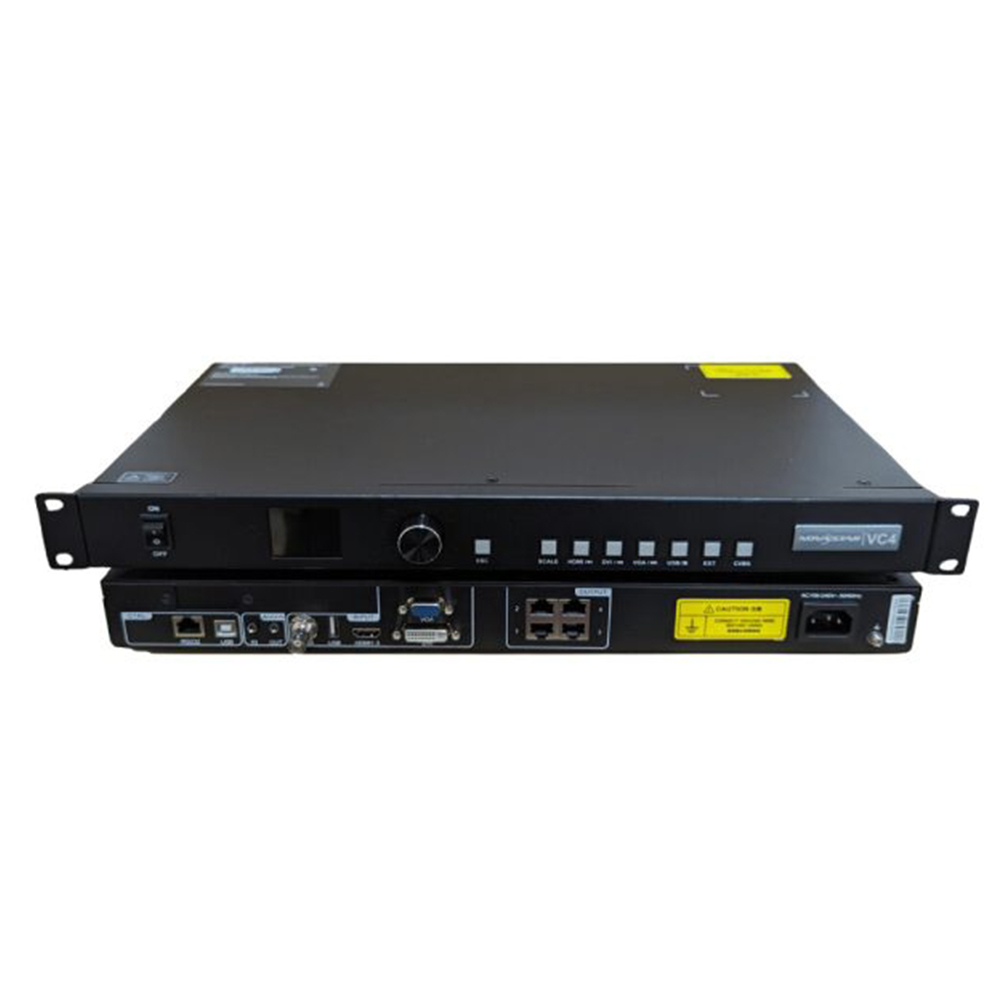
NovaStar VC4
฿14,000.00
- NovaStar VC4 เครื่องรับ – ส่ง สัญญาณภาพ ไปแสดงที่ จอ LED FULL COLOR
- รองรับการเชื่อมต่อได้ 4 ช่อง
- รองรับความละเอียด 2.6 ล้านพิกเซล
- มีช่อง 1x DVI, 1x HDMI1.3, 1x VGA, 1x USB, 1x CVBS
- Brochure : VC4 All-in-One Controller Specifications-V1.0.0
หมายเหตุ : กรุณาเช็คสินค้าก่อนทำการสั่งซื้อทุกครั้ง เพราะบางรายการอาจไม่มีสินค้าในสต็อก



NovaStar VC4 VDO Processor
The VC4 all-in-one controller is a pure hardware device that is easy to operate. It features different types of high-definition input connectors, and integrates professional LED screen control technologies and video processing capabilities, making on-site installations effortless. Designed with an industrial-grade casing, the VC4 is well suited for complex operational environments and can be widely used in applications such as malls, hotels, exhibition sites and TV studios.
Feature NovaStar VC4
- Five input connectors
− 1x DVI
− 1x HDMI1.3
− 1x VGA
− 1x USB
− 1x CVBS
- 4x Gigabit Ethernet ports
− Max. loading capacity: 2.6 million pixels
− Max. width: 3840 pixels
− Max. height: 1920 pixels
- Easy screen configuration
− Quick configuration to easily configure the LED screen
− LED screen color adjustment, such as brightness and Gamma
- Layer adjustment
− Adjustable layer position and size, and input cropping supported NovaStar VC4
− Personalized image scaling: Full screen, pixel to pixel and custom
− Press input source buttons to easily switch between the input sources.
- External independent audio NovaStar VC4
- Input resolution management supported
Supports custom and standard input resolutions of the HDMI and DVI connectors.
- Easy preset saving and loading Up to 6 user-defined presets
- Connect to the central control device via RS232 protocol.
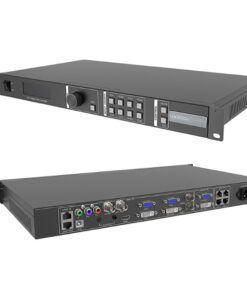
Front Panel NovaStar VC4

| NO. | Area | Function |
|---|---|---|
| 1 | Power button | Power on or power off the device. |
| 2 | LCD screen | Display the current device status and settings menu. |
| 3 | Knob | l Rotate the knob to select a menu item or adjust the parameter value.
l Press the knob to confirm the setting or operation. |
| 4 | ESC button | Exit the current menu or cancel an operation. |
| 5 | SCALE | A shortcut button for the full screen function. Press the button to make the layer of the lowest priority fill the entire screen. |
| 6 | Input source buttons | l Description for input source buttons: NovaStar VC4
− HDMI: HDMI input source button
When you play the media files saved in the USB drive, this button is used to pause or play the files. − DVI: DVI input source button
When you play the media files saved in the USB drive, this button is used to play the previous file. − VGA: VGA input source button
When you play the media files saved in the USB drive, this button is used to play the next file. − USB: Reserved button NovaStar VC4 When you play the media files saved in the USB drive, this button is used to stop the playback of the file. − EXT: Reserved button − CVBS: CVBS input source button l Status LEDs − On: An input signal is accessed and used. − Flashing: The input connector is used, but no input signal is accessed. − Off: The input signal is not used. |
Rear of NovaStar VC4

| Input Connector | ||
|---|---|---|
| Connector | Qty | Description |
| DVI-D | 1 | l VESA standard video inputs with the resolution of 1920×1080@60Hz
l Custom resolutions supported l HDCP 1.4 and EDID 1.4 supported l Interlaced signal inputs supported |
| HDMI 1.3 | 1 | l HDMI 1.3, VESA standard
l Supports 1920×1080@60Hz video inputs. l Custom resolutions supported l HDCP 1.4 and EDID 1.4 supported l Interlaced signal inputs supported |
| VGA | 1 | Input resolution up to 1920×1080@60Hz, downward compatible |
| CVBS | 1 | PAL/NTSC standard video inputs |
| USB (Type A) | 1 | 1x USB 2.0
l Connect to a USB drive. l 1080p@30fps video files supported l File system: NTFS, FAT32 and FAT16 (supported), exFAT (FAT64) (not supported) l Supported image formats: jpg, jpeg, png and bmp l Supported video coding: MPEG1/2, MPEG4, Sorenson H.263, H.263, H.264 (AVC1), H.265 (HEVC), RV30/40, Divx and Xvid l Supported audio coding: MPEG1/2 Layer I, MPEG1/2 Layer II, MPEG1/2 Layer III, AAC-LC, VORBIS, PCM and FLAC |
| AUDIO | 2 | Analog audio input and output |
| Output Connectors | ||
| RJ45 Ethernet ports | 4 | 4x Ethernet output connectors
l Connect to the receiving cards. l Max. loading capacity: 2.6 million pixels l Max. width: 3840 pixels l Max. height: 1920 pixels |
| Control Connectors | ||
| ETHERNET (RS232) | 1 | Connect to the central control device. |
| USB (Type B) | 1 | Connect to the control PC for program updating or debugging. |
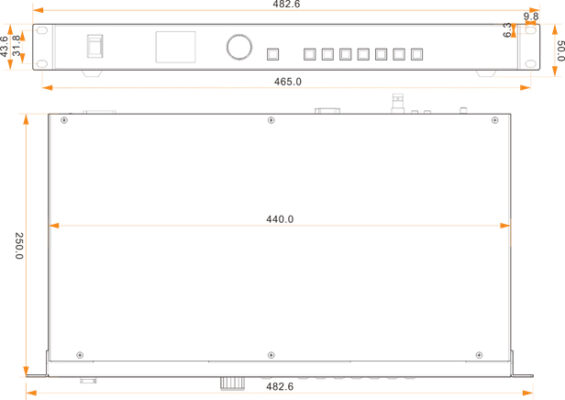
Dimension of NovaStar VC4
| Overall Specifications | ||
|---|---|---|
| Electrical Parameters | Power connector | AC 100-240V~,50/60Hz |
| Rated power consumption | 25 W | |
| Operating Environment | Temperature | –20°C to +60°C |
| Humidity | 20% RH to 90% RH, non-condensing | |
| Storage humidity | 10% RH to 95% RH, non-condensing | |
| Physical Specifications | Dimensions | 482.6 mm × 250.0 mm × 50.0 mm |
| Net weight | 2.82 kg | |
| Total weight | 5.1 kg | |
| Packing Information | Packing box | 565 mm× 328 mm × 88 mm |
| Accessories | 1x Power cable, 1x USB cable, 1x DVI cable, 1x HDMI cable, 1x Certificate of Approval | |
| Large Outer Case | 586 mm × 353 mm × 113 mm | |
| Noise Level (typical at 25°C/77°F) | 38 dB (A) | |
สอบถามเพิ่มเติม
| น้ำหนัก | 5.1 กก. |
|---|---|
| ขนาด | 565 × 328 × 88 เซนติเมตร |
Brand
NovaStar
สินค้าที่เกี่ยวข้อง