
 Home
Home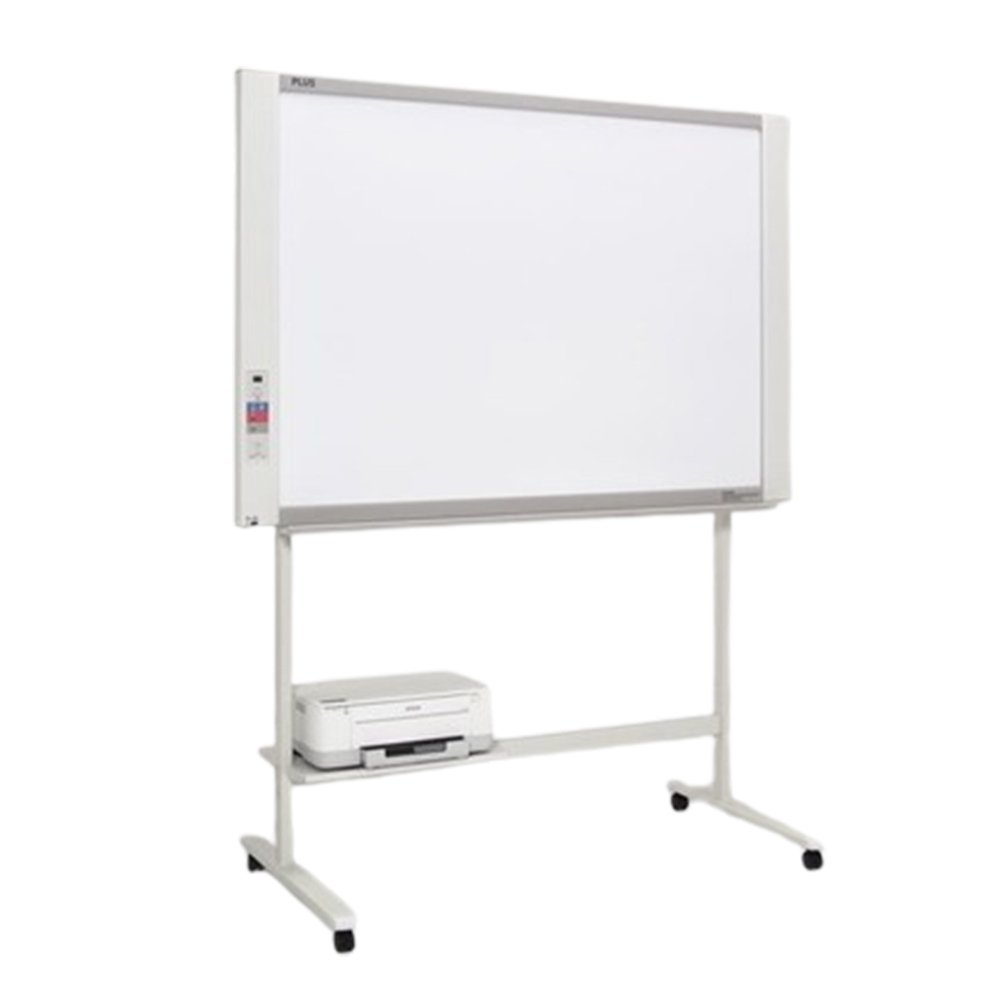
Plus M17S copy board
฿55,000.00
- กระดานอิเล็กทรอนิกส์ plus m17s
- รองรับการเขียนด้วยปากกาไวท์บอร์ด
- เขียนแล้วสามารถ หมุน แล้วส่งออกทางเครื่องพิมพ์ได้
- รองรับการใช้งานร่วมกับ usb
- ขาตั้ง และ เครื่องพิมพ์ แยกต่างห่าก ต้องซื้อเพิ่มเป็น option
- Brochure : M-17S Thai
- manual : M17_User_Manual_ENG
หมายเหตุ : กรุณาเช็คสินค้าก่อนทำการสั่งซื้อทุกครั้ง เพราะบางรายการอาจไม่มีสินค้าในสต็อก



กระดานอิเล็กทรอนิกส์ Plus M17S copy board
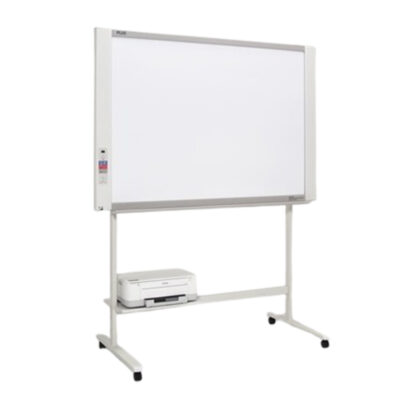
คุณลักษณะของ PLUS ELECTRONIC BOARD (Black &White) รุ่น PLUS M-17S
-
- ขนาดของจอบอร์ด มี 2 ผิวหน้า กดปุ่มเลือนไปแบบต่อเนื่อง (Endless sheet 2 หน้า)
- M-17S กว้าง 1300 มม. สูง 910 มม. มีพื้นที่ในการ เขียน กว้าง 1280 มม. สูง 900 มม. (ใช้ได้ 2 หน้า)
- มีช่องต่อสัญญาณแบบ USB 3 ช่อง คือ
- USB Type A to B (Board to Printer)
- พิมพ์ขนาด A4 จากเครืÉองพิมพ์แบบอิงค์เจ็ทหรือ Laser
- ใช้กับเครืÉองพิมพ์ HP Inkjet PLC3e/ compatible, etc. ขนาด A4 ตามรุ่นทีÉกําหนด (300 DPI)
- USB Type A -Flash Memory เพืÉอสแกนและบันทึกเป็นไฟล์ข้อมูลรูปภาพแบบ JPEG ได้ง่ายทันที
- USB Type B – สําหรับต่อกับเครื่องคอมพิวเตอร์ เพื่อปรับตั้ง วัน เวลา และใช้อัพเกรตกระดาน
- เครื่องสามารถติดตั้ง
- แบบแขวนบนผนัง โดยไม่ต้องใช้อุปกรณ์เสริม
- บนขาตั้งเครืองซึงมีลูกล้อสามารถเคลือนย้ายได้หรือล๊อกลูกล้อเพือกันเคลือนในการใช้งานจริง
- สามารถปรับความสูงได้ 3 ระดับคือ1747 มม, 1847 มม, 1947 มม.
- ขนาดเครื่อง
- M-17S: กว้าง 1480 x สูง 1947 (max) x หนา 675 มม. นน. 20 กก. ไม่รวม Option ขา
- ใช้ไฟฟ้าจาก AC-DC Adaptor, (< 0.75A.), output DC 12VDC, 3.0A., 2W (Standby), 12W (Operation)
- ราคามาตรฐาน ไม่รวม แฟลชเมมโมรี่ USB Flash Memory, เครืองพรินท์เตอร์ (Printer), ขาตั้งเครื่อง
(Copy Board Stand), ค่าติดตั้ง และค่าขนส่ง - ราคาเครื่อง printer 4500 บาท
- รับประกัน 1 ปี
- ขนาดของจอบอร์ด มี 2 ผิวหน้า กดปุ่มเลือนไปแบบต่อเนื่อง (Endless sheet 2 หน้า)
ชุดควบคุมของ Plus M17S copy board
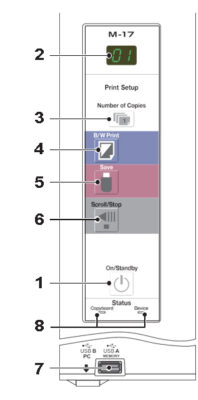 |
1. ปุ่ม เปิด – ปิด เครื่อง |
| 2. หน้าต่างแสดงผล แสดงสถานะการทำงาน | |
| 3. ตั้งค่าจำนวน สำเนา ที่จะพิมพ์ | |
| 4. ปุ่มพิมพ์ ขาว ดำ เลื่อนไปหนึ่งหน้าจอแล้วอ่าน จากนั้นภาพจะถูกพิมพ์เป็นขาวดำ | |
| 5. ปุ่ม บันทึก เมื่อ กด กระดานจะเลื่อนไป 1 หน้า เพื่อ อ่านข้อมูล หลังจากนั้นจะถูกบันทึกเก็บไว้ที่ usb | |
| 6. เลื่อนกระดานไปทางซ้าย หนึ่งหน้าจอ แล้วหยุดอัตโนมัติ การกดปุ่มนี้เวลาเลื่อนจะหยุดการเลื่อน | |
| 7. port usb หน่วยความจำ usb type A | |
| 8. ไฟแสดงสถานะของกระดาน |
ข้อความแสดงค่า error
| Error Display Number | Problem and Solution | |
|
“E1” Printer not connected No printing paper Printer problem |
• Is the printer cable connected?
• Is power being supplied to the printer? • When the printer uses an AC power adapt- er, is the cable disconnected somewhere? |
• Connect the printer properly and switch on the printer power. |
| • Has paper been set in the printer? | • Turn the power of the printer off and then on again, and load the printer with A4 or letter size paper. | |
| • Is the printer error indicator flashing (or lit)? | • Read the printer instruction manual. | |
| “E2” USB Memory not recognized | • Is the USB memory unformatted. | • This unit supports the FAT and FAT 32 formats. Perform the formatting with the personal computer. |
| • Is a USB memory that is not supported by the copyboard being used? | • Please see our home page for information about USB memories that can be used with the copyboard. | |
| • Is the USB memory device plugged in fully?
• Is the USB memory damaged? |
• Please check the operation with a personal computer. Plus M17S copy board | |
| “E3” USB Memory storage problem | • An error occurred during USB memory storage. | • Please perform USB memory storage again. Plus M17S copy board
• Do not insert or remove the USB memory during processing. |
| “E4” Reading problem | • There is a lighting fault of the reading light source, or a read signal error. | • Unplug the power plug from the power outlet and then plug it in again. |
| “E5” System error | • There is a memory or internal fault. | • Unplug the power plug from the power outlet and then plug it in again. |
| “U5” USB memory not connected | • USB memory device is not plugged into the main unit. | • Plug the USB memory device into the USB port. |
| “FL” USB Memory is full | • There is no available space. | • Please delete unnecessary data using a personal computer (See Page E-16). |
| “EL” Anual supported printer is connected | • A printer that is not supported by the copy board has been connected. | • Press the ON/Standby button and switch off the power. When a record is required, switch on the power and save to USB memory. |
| “EH” Time setting error | • An error has arisen when setting the time. | • Start setting the date/time over from the beginning. Plus M17S copy board |
| “U5-5b-b” When the “USB” letter dis- play is flowing…Warning that disconnection of USB memory has been forgotten | • Did you press the ON/Standby but- ton while the USB memory device was plugged into the main unit? | • A USB memory device is plugged into the main unit. When the USB memory device is disconnected, the power will be switched off and the unit will enter the standby mode. |
วิธีแก้ปัญหาสำหรับกระดานอิเล็กทรอนิกส์ PLUS M18S
| Condition | Please Check | |
| Copyboard Related | Pressing the ON/Standby button does not switch on the power. | • Check whether the cable of the AC power adapter is disconnected from the DC connector of the Copyboard or the wall outlet. (Unplug the AC power cable from the outlet, wait several seconds and then plug it back into the outlet again.) |
| Writing on the sheet is not erased with the eraser. | • Was a marker other than a dedicated marker used? Plus M17S copy board | |
| Portions of writing or lines are not printed or stored in memory. | • Portions of blurred characters or thin lines may not be printed or stored in USB memory. | |
| Scanned copy (image) is dirty, Erase Reminder function is activated even when sheet is erased with the eraser | • Is there marker residue or substantial quantities of refuse on the sheet?
(If the sheet is dirty, moisten a soft cloth with water, wring well, then wipe the sheet in a stroking manner.) Plus M17S copy board |
|
| When the copyboard and PC are con- nected, the PC does not recognize the copyboard | • Check whether the copyboard is in an operable condition, and whether the USB cable is connected properly. Plus M17S copy board
• Is the copyboard connected to the PC via a USB hub? (Connect the copyboard directly to the USB port of the PC.) Plus M17S copy board |
|
| The date is not updated. | • The copy board’s battery is dead. Contact your store of purchase. | |
สอบถามเพิ่มเติม
| น้ำหนัก | 20 กก. |
|---|---|
| ขนาด | 197 × 67 × 148 เซนติเมตร |
Brand
plus electronic board
สินค้าที่เกี่ยวข้อง
฿78,000.00
-5%
Original price was: ฿66,900.00.฿63,500.00Current price is: ฿63,500.00.
฿73,000.00
-4%
Original price was: ฿72,900.00.฿69,900.00Current price is: ฿69,900.00.
฿86,000.00
฿110,000.00

฿115,000.00

฿80,000.00


